
View Categories

Otostopçunun AutoCAD Rehberi

< 1 dakika okuma

AutoCAD veya AutoCAD LT’ye yeni başladıysanız, bu kılavuz size 2 boyutlu çizimler oluşturmak için ihtiyacınız olan temel komutları tanıtır. Ayrıca, başlangıç ​​eğitimini yeni tamamladıysanız veya AutoCAD’i yalnızca ara sıra kullanıyorsanız, bilgilerinizi tazelemek için de harika bir kaynaktır.
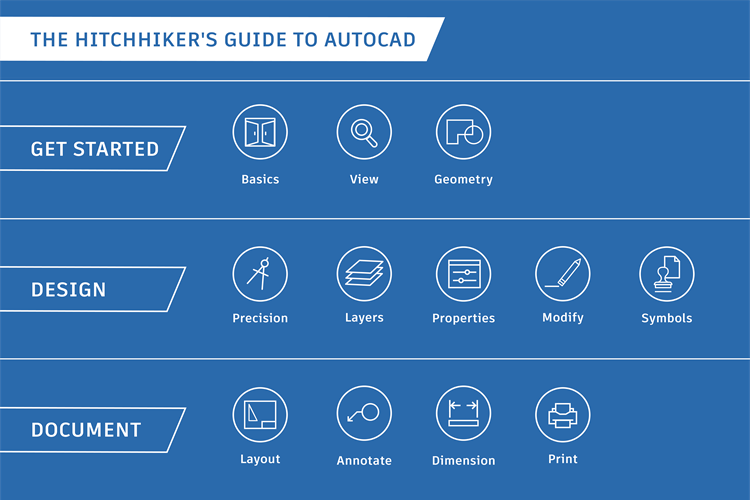
Review the basic AutoCAD and AutoCAD LT controls. Pan and zoom to different views in a drawing. View and edit your drawings from remote locations. Create basic geometric objects such as lines, circles, and hatched areas. Ensure the precision required for your models. Organize your drawing by assigning objects to layers. You can assign properties such as color and linetype to individual objects, or as default properties assigned to layers. Perform operations such as erase, move, and trim on the objects in a drawing. Insert symbols and details into your drawings from commercial online sources or from your own designs. Display one or more scaled views of your design on a standard-size drawing sheet called a layout. Create notes, labels, bubbles, and callouts. Save and restore style settings by name. Create several types of dimensions and save dimension settings by name. Output a drawing layout to a printer, a plotter, or a file. Save and restore the printer settings for each layout.

Tarafından desteklenmektedir BetterDocs

Bir yanıt yazın

E-posta adresiniz yayınlanmayacak. Gerekli alanlar * ile işaretlenmişlerdir